mejaslot Casino Mobile App
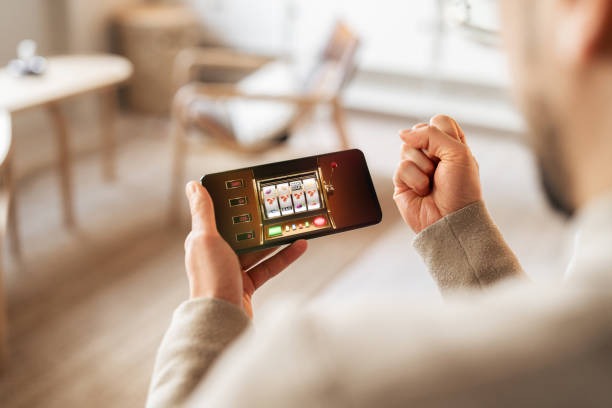
Our mejaslot app runs on Android and iOS, letting you access football markets, live-dealer tables, and slot games from your phone or tablet. You can download the Android APK directly, use the iOS web app in your browser, or access mejaslot through any modern web browser on desktop or mobile. All three paths connect to the same account, so your balance and history sync across devices.

- SHA256 Match
- Update
- StartFirst Game
Mobile-first design means faster load times, offline caching for game lists, and push notifications for match updates and withdrawal confirmations. Whether you are in Jakarta, Surabaya, Bandung, or Medan, the app works the same way. You deposit via DANA, e-wallet, mobile banking, local payment, online payment, e-wallet, or bank virtual accounts (mobile banking, local payment, online payment, e-wallet), and your funds appear in your mejaslot account within a few minutes.
This page walks you through downloading, installing, and using the mejaslot app. We also cover device compatibility, common install issues, and how the app protects your data.
Download mejaslot for Your Device
We offer three ways to access mejaslot on mobile. Choose the option that works best for your device and preferences.
Installation Steps
Getting started on mejaslot takes just a few minutes. Follow these steps to download, install, register, and start using the app.
- Download the APK (Android) or open the web app (iOS / browser): For Android, visit the mejaslot download page and tap the APK link. For iOS, open Safari and go to mejaslot.app, then tap Share and select Add to Home Screen. For browser, simply visit mejaslot.app on any device.
- Install and open the app: On Android, you may need to enable Unknown Sources in your device settings to install the APK. On iOS, the web app installs as a shortcut on your home screen. On browser, no installation is needed — just bookmark the page.
- Register or log in: If you are new to mejaslot, tap Open Account and provide your email, password, phone number, and government ID number (KTP for Indonesian residents). If you already have an account, tap Member Login and enter your username and password.
- Verify your account and make your first deposit: mejaslot will ask you to verify your identity by uploading a photo of your ID. Once verified, you can deposit via DANA, e-wallet, mobile banking, local payment, online payment, e-wallet, or a bank virtual account. Your funds appear in your mejaslot account within a few minutes.

App vs. Browser: Which Should You Use?
The mejaslot app and web browser both connect to the same account and offer the same games. The app has a few advantages: it caches game lists and odds locally, so the app loads faster on slow connections. The app sends push notifications when a match you are watching is about to start, when your withdrawal is processed, or when your account needs verification. The app also works offline for viewing your account balance and bet history — you just cannot place new bets until you reconnect.
The browser version works on any device without installation and updates automatically. If you prefer simplicity or do not want to download files, the browser is a good choice. Most users keep both installed: the app for quick access and notifications, the browser for backup access or when using a shared device.
Both app and browser sync in real time
Your account balance, bet history, and deposit status update instantly across all devices. Log in on your phone, then check your balance on your computer — it is always current.
Device Compatibility
The mejaslot app requires Android 7.0 or later on Android devices. Most phones and tablets from the last five years meet this requirement. On iOS, the web app works on iPhone and iPad running iOS 12 or later. The web browser version works on any device with a modern browser — Chrome, Safari, Firefox, or Edge on desktop, mobile, or tablet.
If your device is older than these requirements, you can still access mejaslot through a web browser. We recommend updating your device if possible, as newer versions of Android and iOS include better security features.
Common Installation Issues
If you see an error when installing the Android APK, check that Unknown Sources is enabled in your device settings. Go to Settings > Security > Unknown Sources and toggle it on. Some devices call this setting Install from Unknown Sources or Allow Installation of Apps from Unknown Sources. After enabling it, try downloading the APK again.
If your device shows a certificate warning when opening the mejaslot app or website, this is normal for the first visit. Your device is checking that mejaslot.app is a trusted domain. Tap Continue or Proceed to confirm. Your browser will remember this choice and will not ask again.
If the app crashes or freezes, try clearing the app cache. On Android, go to Settings > Apps > mejaslot > Storage > Clear Cache. On iOS, delete the web app shortcut and re-add it. If problems persist, contact our support team via email, live chat, or phone. We offer support in English and Indonesian.
Data, Permissions, and Account Security
The mejaslot app requests permission to access your device's storage (to cache game data), your camera (for ID verification during account opening), and your contacts (optional, for account recovery). We do not use these permissions for any other purpose. We do not sell your data to third parties, and we do not track you across other apps or websites.
Your mejaslot account is protected by your password and optional two-factor authentication. We recommend enabling two-factor authentication in your account settings — this adds an extra layer of security by requiring a code from your phone when you log in from a new device. Your payment information is encrypted in transit and at rest. We use industry-standard firewalls and access controls to protect your data.
App Strengths
- Faster load times with offline caching
- Push notifications for matches and withdrawals
- Works offline for viewing account data
Browser Strengths
- No download or installation required
- Works on any device with a modern browser
- Updates automatically without user action
Getting Help
If you have questions about downloading, installing, or using the mejaslot app, our support team is here to help. We offer support in English and Indonesian via email, live chat, and phone. We aim to respond to support requests within a few hours during business hours and within a day outside business hours.
You can also find answers to common questions in our FAQ section. If you need help with account recovery, two-factor authentication, or payment issues, contact support and we will walk you through the steps. Our goal is to get you up and running on mejaslot as quickly as possible.